
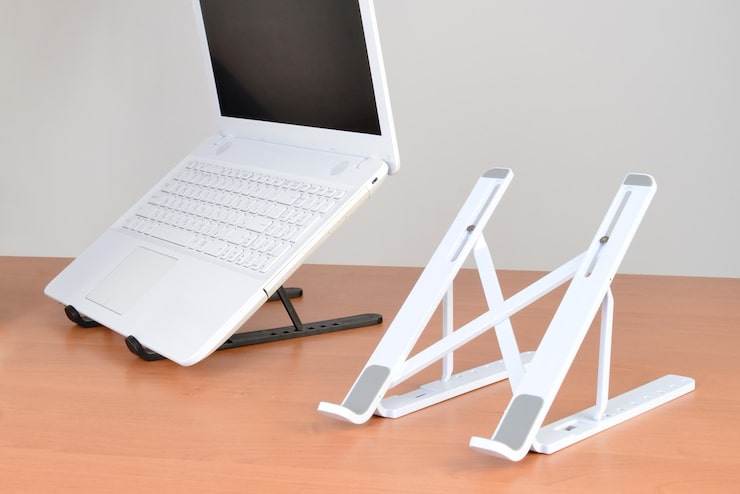
Okay, let’s just be real: hunching over a laptop for hours is basically the modern version of self-torture. Your neck’s killing you, your back feels like it’s been run over, and by the end of the day you look like Quasimodo’s cousin. I’ve been there, trust me. That’s why, honestly, a laptop stand isn’t just some fancy accessory—it’s a total game-changer. Not exaggerating. Once you’ve tried it, there’s no going back to the “laptop flat on the desk” lifestyle.
Why Bother With a Laptop Stand? (Spoiler: Your Spine Will Thank You)?
Seriously, picture this: you’re grinding away on some project, hunched over like Gollum with his precious, and then bam—neck pain, shoulder aches, maybe even a headache for good measure. It’s not just uncomfortable, it’s straight-up unhealthy in the long run. A laptop stand? It’s the lazy man’s (or woman’s) fix. Plop your laptop on one and suddenly you’re sitting up straighter, looking at your screen without craning your neck like a confused pigeon.
The Sweet Perks of Owning a Laptop Stand
Let’s break it down. There’s way more to these things than just holding your computer up:
- Ergonomics That Don’t Suck: Put your screen at eye level, and suddenly your posture sorts itself out. Less slouching, less “ow, my neck,” more feeling like an actual human.
- No More Laptop Sauna: A bunch of stands have these cool cutouts or fans, so your machine doesn’t overheat and go into meltdown mode when you’re editing videos or gaming too hard.
- Desk That Isn’t a Hot Mess: Lifting your laptop frees up space for, I dunno, coffee, snacks, a mouse, or that notebook you never actually write in. It just looks cleaner—and let’s be real, we could all use a little more order in our lives.
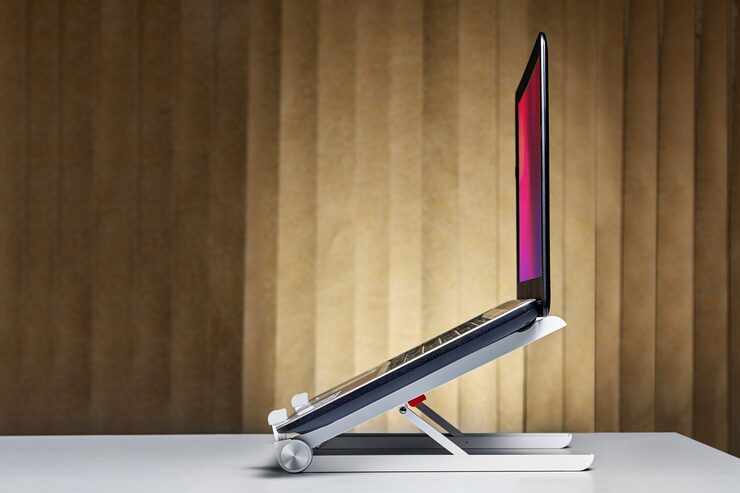
Choosing Your Laptop Stand: Don’t Overthink It, But Don’t Cheap Out Either
Honestly, there are a million options out there. Here’s what matters:
- Portability & Adjustability: If you’re always bouncing between your kitchen, the office, and that one overpriced café, get something lightweight and foldable. Bonus points if you can adjust the height or angle so you’re not locked into one position all day.
- Sturdy Stuff Only: Don’t trust your expensive laptop to some flimsy plastic nonsense. Aluminum or steel is where it’s at—light, strong, and not likely to collapse dramatically mid-Zoom call.
- Looks Matter, Sorry Not Sorry: Yeah, functionality first, but if it’s ugly, you’ll hate it. Get something that vibes with your setup. Sleek is good. Weird spaceship? Maybe not.
How to Actually Use a Laptop Stand (And Not Just For Show)?
You’d be surprised how many ways you can milk this thing for all it’s worth:
- Double Screen Magic: If you run an external monitor, a stand lines them up perfectly. No more neck gymnastics trying to look at both screens.
- Makeshift Standing Desk: Some stands go tall—enough to let you stand and work. Not quite a Peloton, but hey, it gets you off your butt now and then.
- Workflow That Doesn’t Suck: Raise that laptop, and suddenly you’re not fidgeting every two minutes to get comfy. More focus, less squirming. Win-win.
Final Thoughts: Just Get the Stand Already
Look, if you’re still working hunched over like you’re decoding the Rosetta Stone, you’re doing it wrong. A laptop stand is the cheapest, laziest hack for a better work life. Your neck and back will love you, your desk will look less like a disaster, and you might even feel a little more productive. Pick one that’s sturdy, portable, and doesn’t look like a relic from the ‘90s, and you’re golden.
Don’t overthink it. It’s a small upgrade but, man, does it make a difference. Your future self will totally high-five you for it.
